
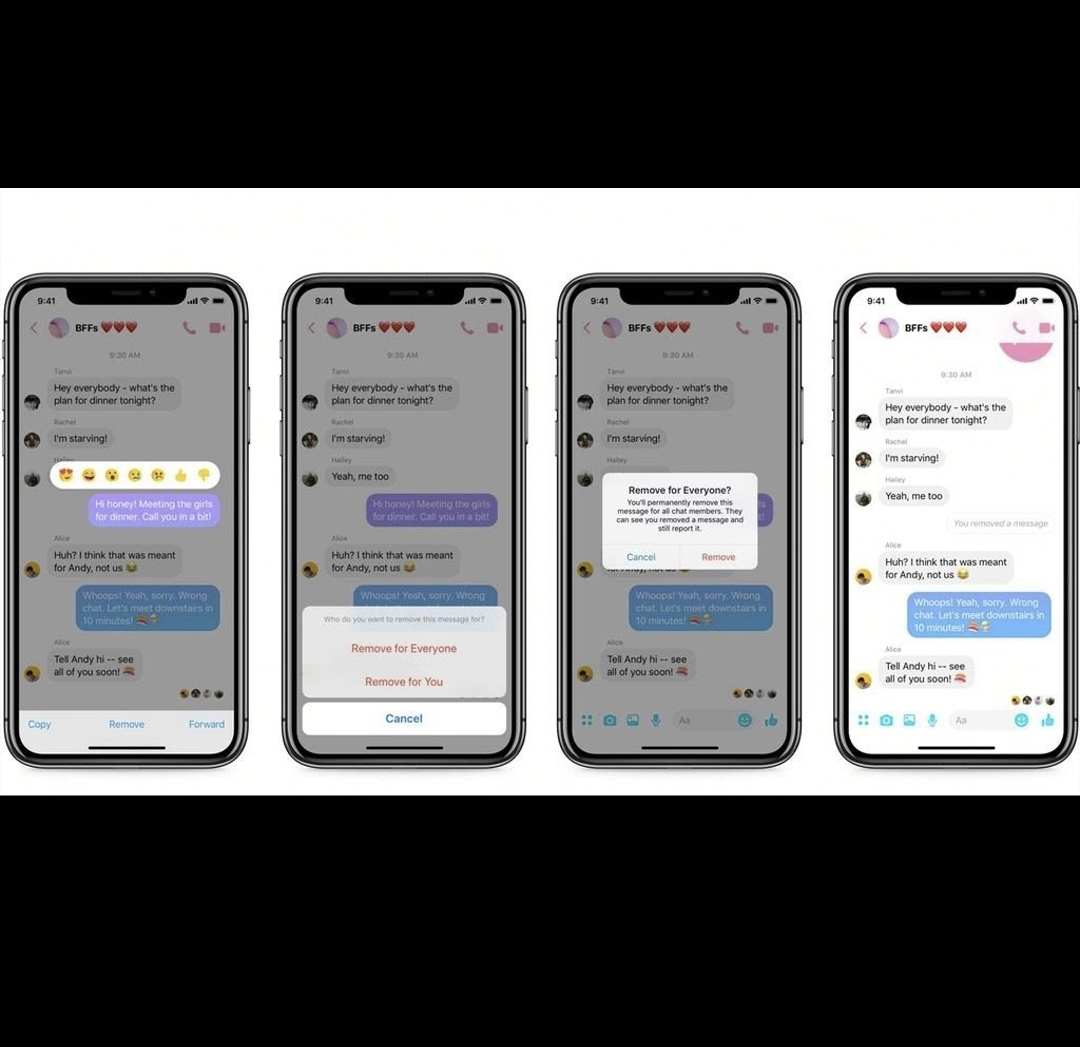
How to use the feature:
– Open the Facebook Messenger app on your phone or desktop.
– Open a conversation with messages you’d like to delete.
– Press and hold on a message until you see a prompt to delete (if using the app) or click on the three-dot icon next to the message (if using Messenger via Facebook’s website).
– Select the appropriate option